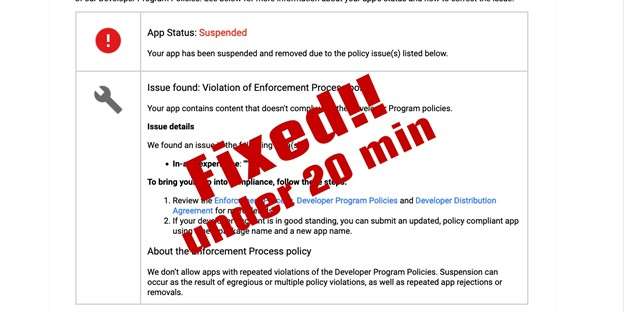
Publishing on Google Play is more than just uploading your mobile games or platform adventure game projects—it’s about ensuring long-term trust with players and staying compliant with Google’s strict policies. A flagged violation can instantly halt distribution, affect visibility in the best mobile games 2025 lists, and even block updates for your android games or switch games. Whether you’re building indie games, best free arcade games, or aiming to be featured among the best nintendo switch games, fixing violations quickly is essential. Developers who ignore these warnings risk losing their audience in a competitive video games market where free games, offline games for android, and best free games dominate searches.
Step 1: Identify and Update Unity
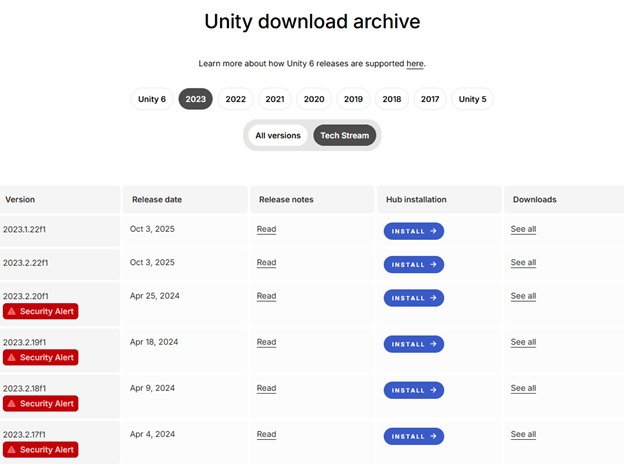
Check the Unity Download Archive for your installed version. If you’re on Unity 2019.1 or later, rebuild your project with the patched editor. For older builds (2017/2018), use the Unity Application Patcher to hotfix existing binaries. (Downloading updated unity version is the best way in my opinion, you can use patch but sometimes the problem persists.)
Step 2: Secure Your Project
Create a GitHub repository to back up your game before making changes. This ensures you can roll back if needed. This is especially important for best indie games or free games for pc, where updates and patches must be carefully managed.
Step 3: Rebuild and Validate
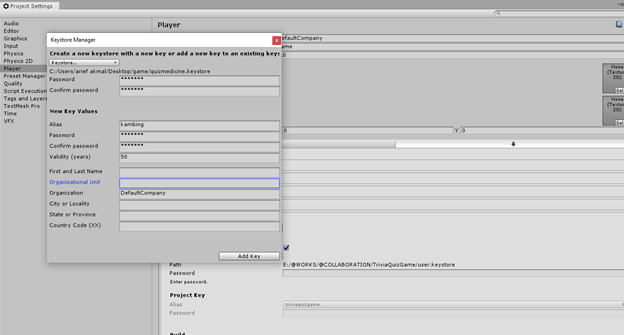
Open your project in the updated Unity version. Fix any errors, then sign the new build using your SSH key, studio credentials, and the original keystore. Import correct Player Build Settings and target the latest API level. This step ensures your best android games and mobile games remain secure and future-proof.
Step 4: Update Google Play Console
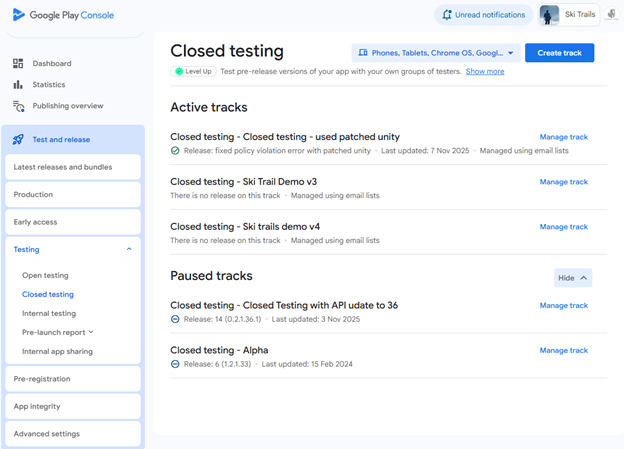
Replace all testing tracks first (open, closed, internal) with the new build. Pause any other builds already in rollout. You can also unpublish the app if you want, but the policy violation still needs to be fixed. If your app is already in production, then after closed testing, promote the build to full rollout. This will replace the current production with the new policy-fixed version.
Step 5: Final Review
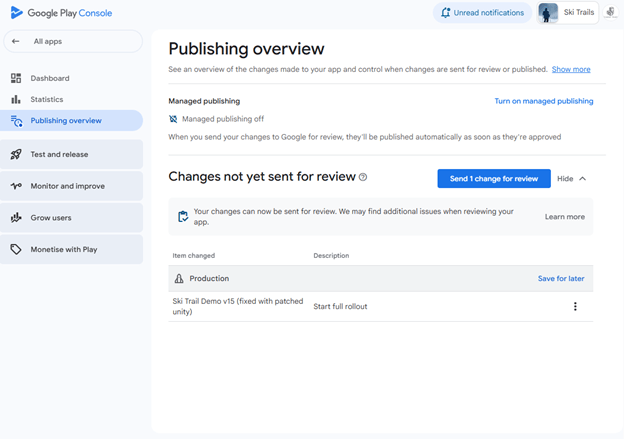
Go to Publishing Overview in the Play Console and confirm all changes. Once submitted, your violation should be resolved within days, and the notification should go away.
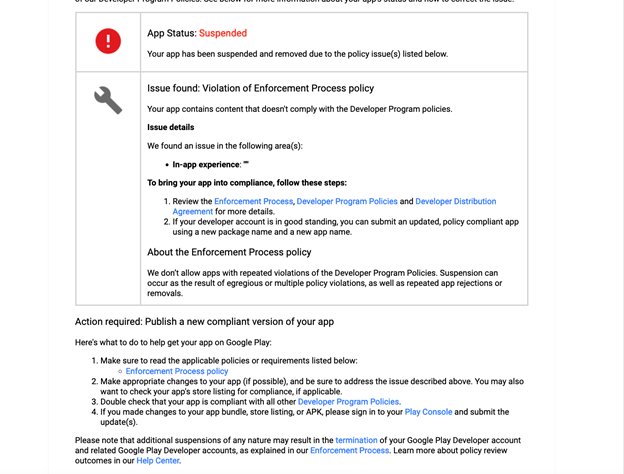
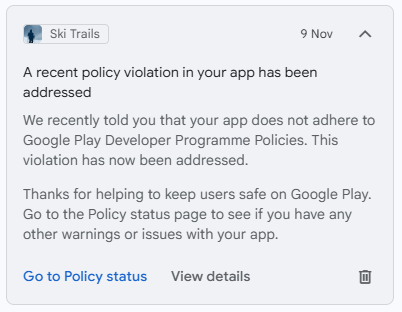
After a day or two you’ll get a notification like this
Notes
The patcher may not work with tamper-proofing or anti-cheat solutions.
Always retest functionality after patching.
Linux builds are lower risk but should still be updated.
If you forget your keystore password, reset it from the App Integrity section. The Play Console will issue a new keystore within 1 day. Add the new keystore, wait another day to validate the new SSH key, and upload your build to the library.
Conclusion
By following these steps, developers can remediate Unity vulnerabilities and restore compliance on Google Play in under 20 minutes. Whether you’re targeting best mobile games, offline games for android, or aiming to stand out among indie games, staying compliant ensures your project continues to thrive in the ever-growing video games industry.